
Tweetify / Features
Everything between an idea and a published post.
Tweetify is a focused X scheduler for iPhone. It gives you somewhere to write, a precise way to choose when content goes live, and a clear record of what happens next.
iPhoneContent
Posts + threadsAndroid
Coming soon
Write a post—or build the whole thread.
Start with one post and switch to a thread whenever the idea needs more room. Each part stays editable, ordered, and ready to publish as a connected conversation on X.
Single posts · Multi-post threads · Per-post character counts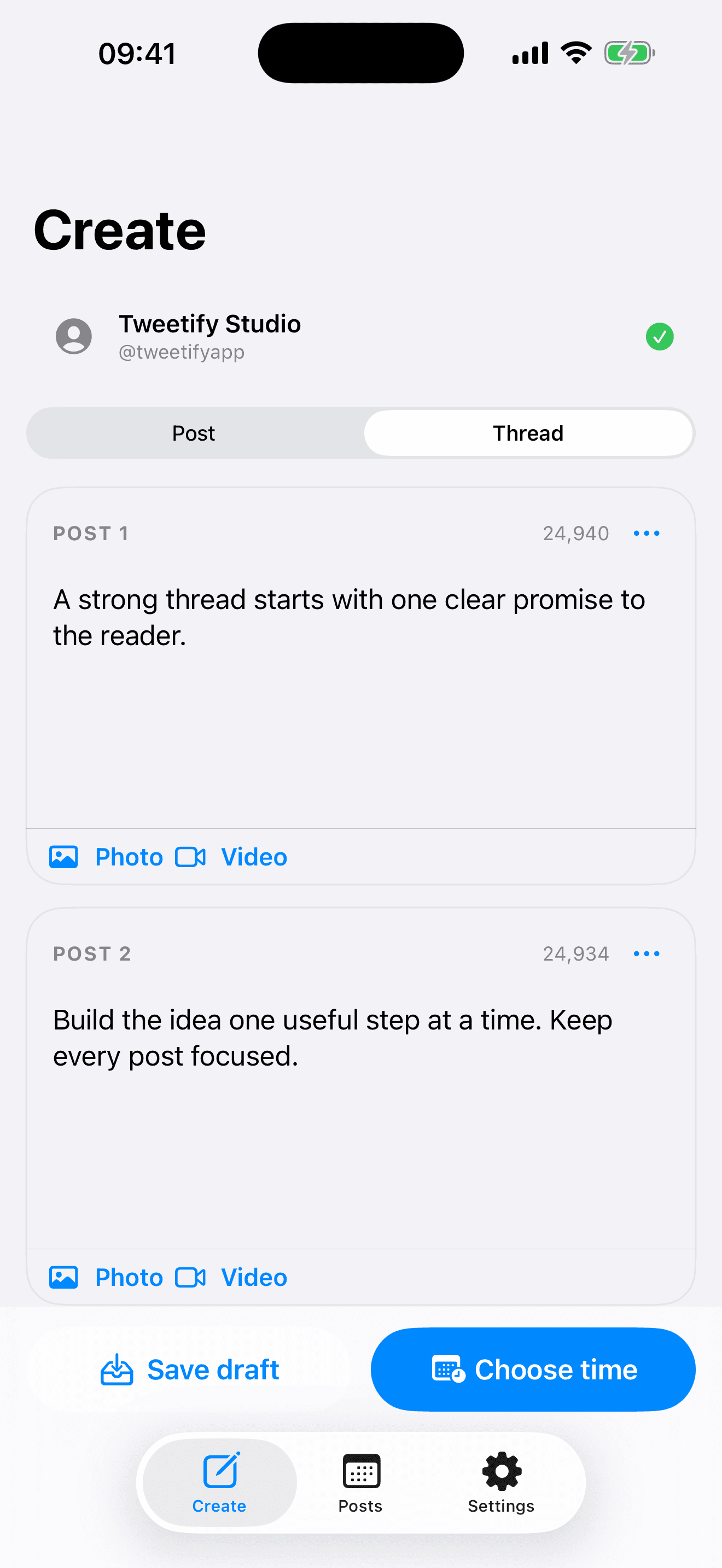
Draft first. Connect X when you need it.
Tweetify can be explored without connecting an account. Write and save drafts locally, then connect X only when you are ready to schedule or publish.
No account needed for drafts · Connect-later onboarding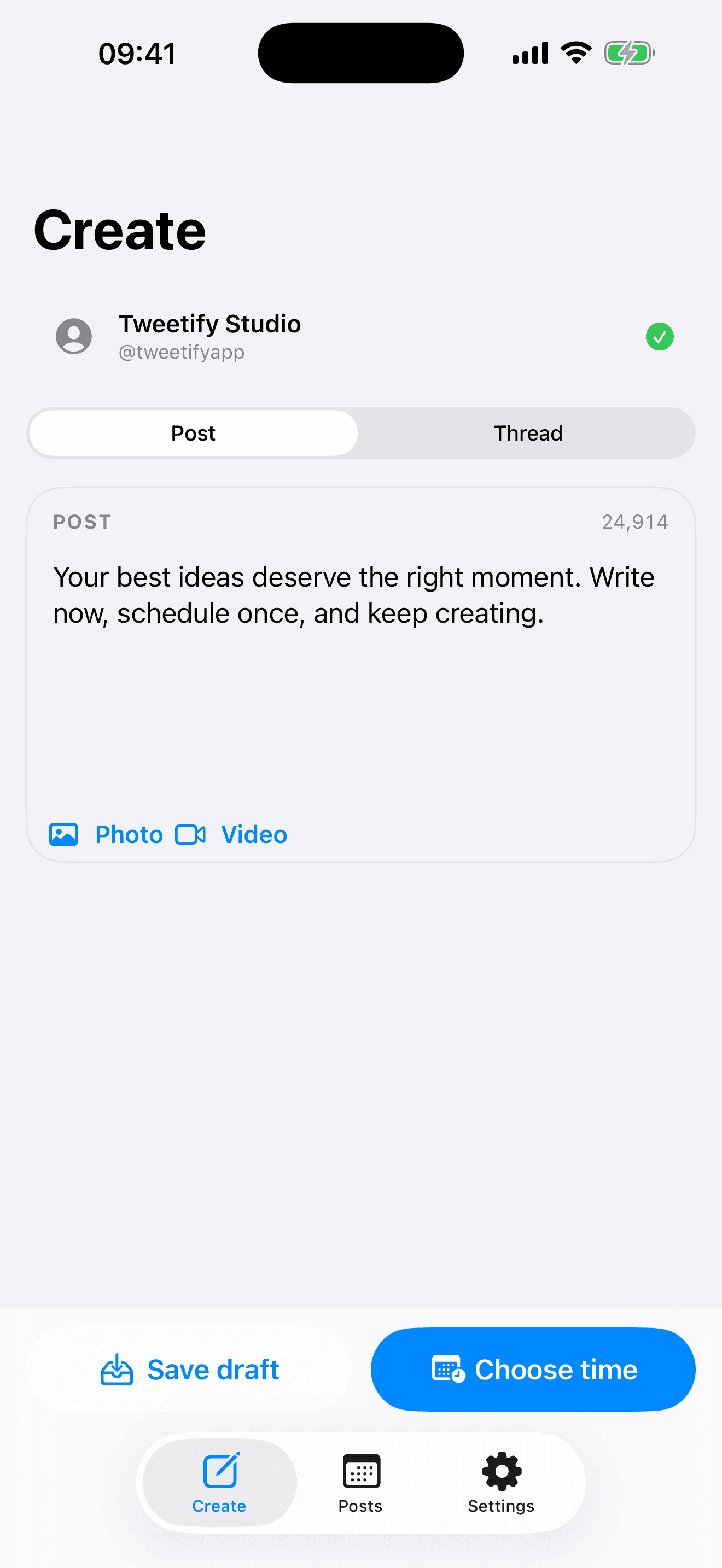
Choose the moment, not just the day.
Use a quick preset such as tonight or tomorrow morning, or pick the exact date and time yourself. Tweetify sends the post from the queue when that moment arrives.
Quick times · Exact date and time · Editable schedules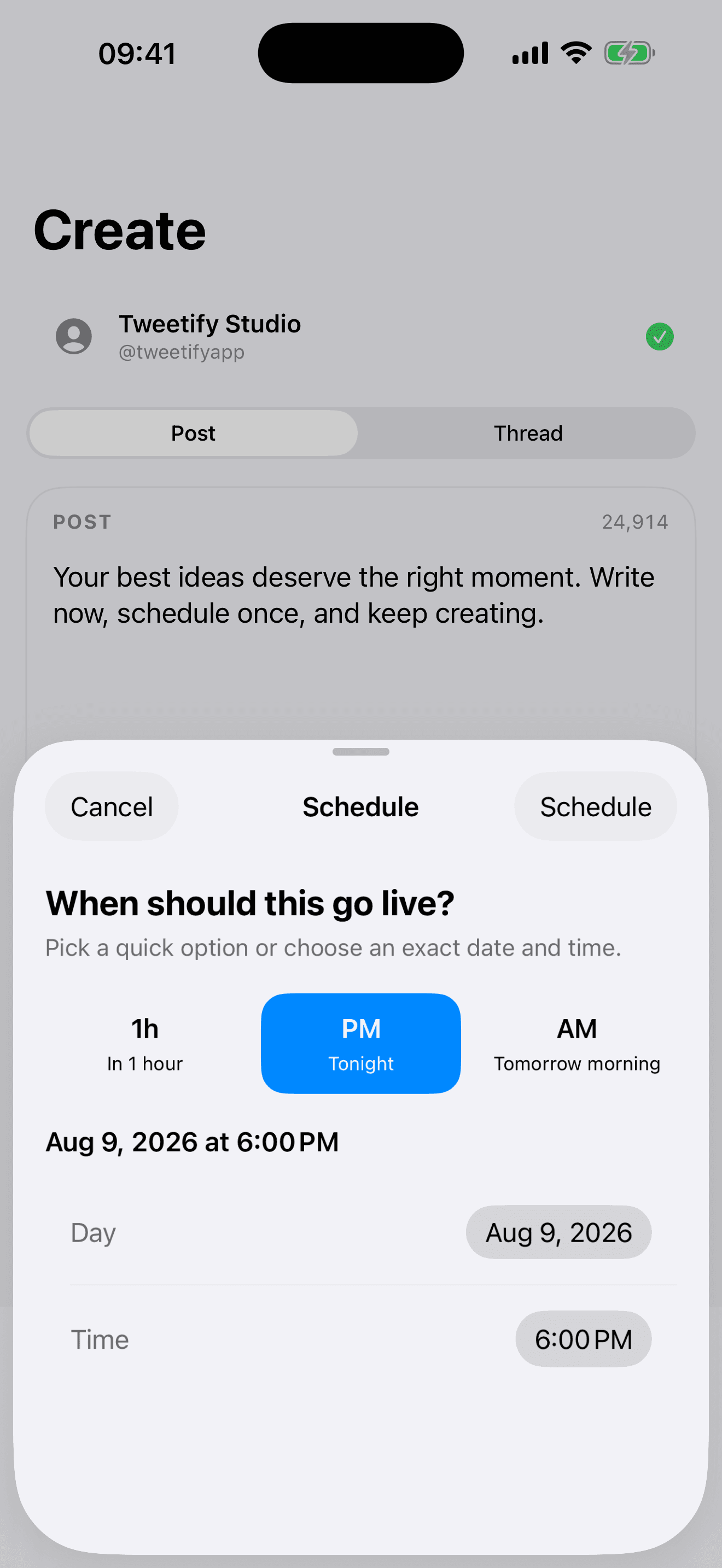
See every draft and scheduled post in one place.
The queue separates scheduled posts, drafts, and published work. Edit the copy, change the time, inspect a failed post, or retry without rebuilding it from scratch.
Scheduled · Drafts · Published · Retry failures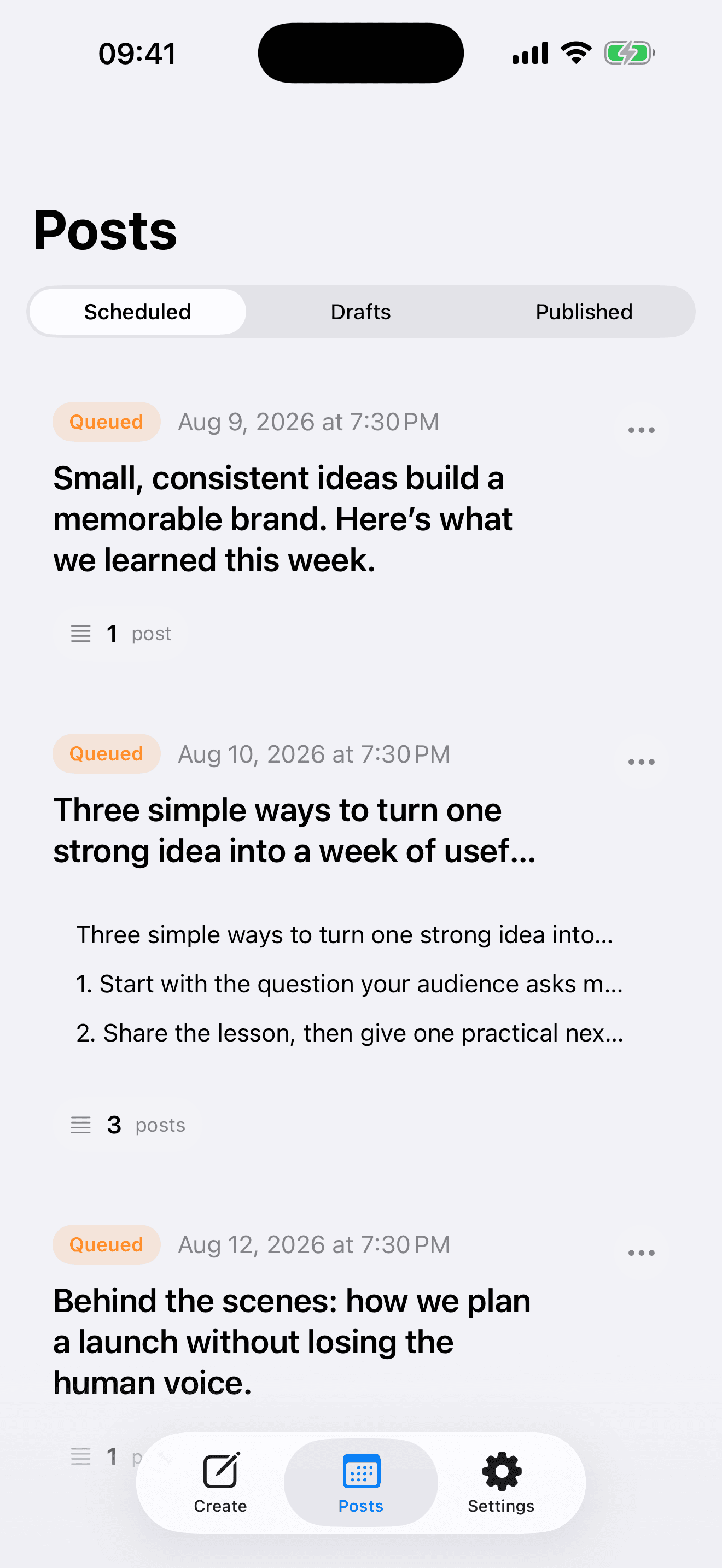
Pro / Media
Photos and videos, when the post needs them.
Pro adds scheduled photo and video posts, with fair-use limits designed to keep the service dependable. New users can try text posts and complete threads for seven days without starting an App Store subscription.
Plain answers
Before you download.
Can Tweetify schedule complete X threads?
Yes. Write the thread as ordered segments and schedule it once. Tweetify publishes the first post and then publishes the remaining segments as connected replies.
Do I need to connect X before I can use the app?
No. You can explore Tweetify and save drafts before connecting. An X account is required when you schedule or publish.
Can I schedule photos and videos?
Yes, media scheduling is included with Tweetify Pro. Text-only posts and threads can be tested during the seven-day free week.
Is Tweetify available on Android?
Tweetify is currently available for iPhone. An Android version is planned but not yet available.
Write now. Choose the moment later.
Download Tweetify for iPhone ↗