
Tweetify / Queue management
How do you edit or cancel a scheduled X post on iPhone?
A date changes, a link breaks or a sentence no longer feels right. The useful moment to fix a scheduled post is before it publishes—not during the rush after it is already public.
The short answer
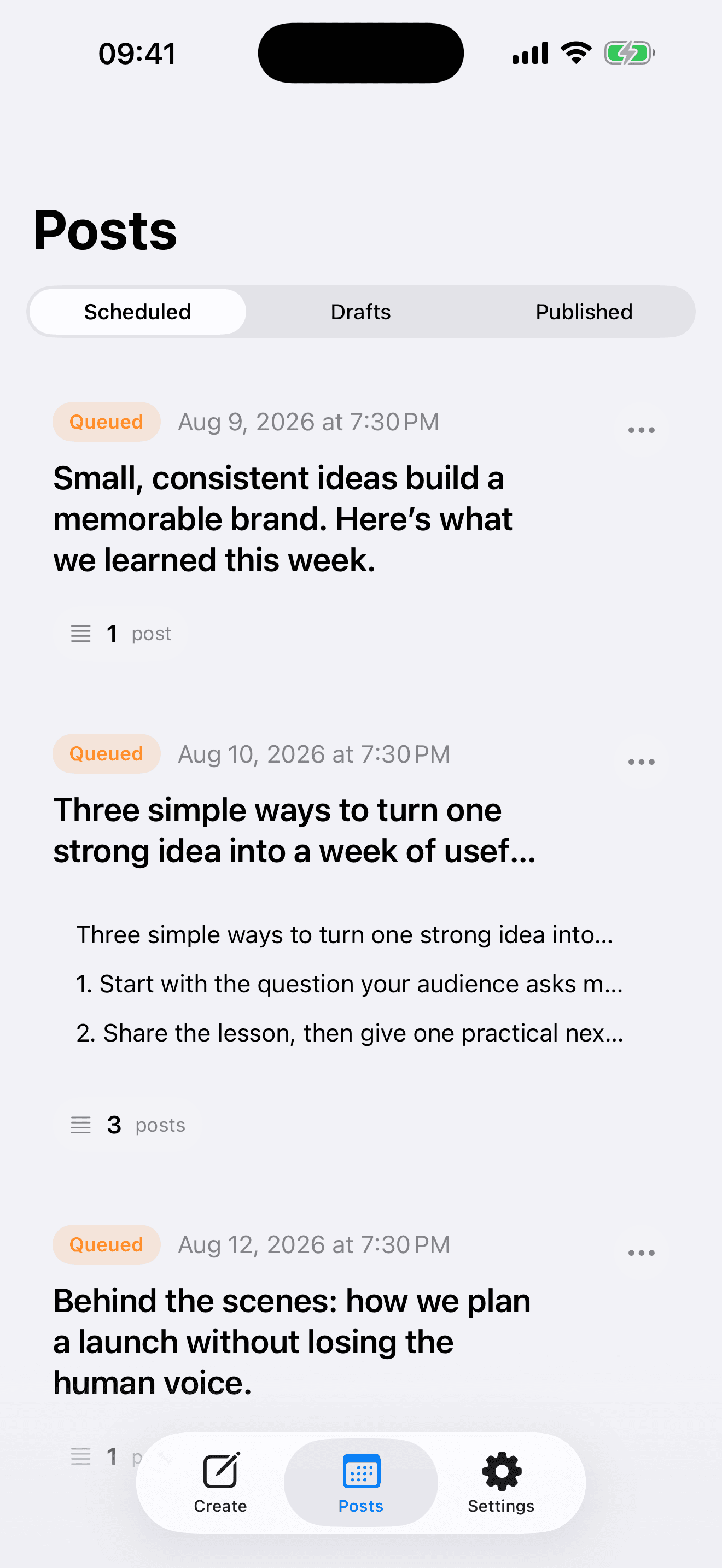
Open Scheduled in Tweetify, select the queued item and review its text, media, account and publish time. Edit the content or choose a new time, then save and confirm the updated item appears in the queue. If the post should not go out, cancel or delete it before its scheduled time.
01 / Change a queued post safely
Change a queued post safely
- 01
Find the exact item
Open Posts and choose Scheduled. Match the first line, account and planned time rather than relying on the thumbnail alone—similar campaign posts are easy to confuse.
- 02
Edit or reschedule
Open the item, change the copy or scheduled time, and save. If media is replaced, wait for the new upload to complete before leaving the screen.
- 03
Confirm the final state
Return to the Scheduled list and verify the revised preview and time. To stop publication entirely, cancel the item and make sure it no longer appears as queued.
02 / What to check before saving
What to check before saving
Leave enough time
Do not edit at the final second. Give the service time to store the change, especially when replacing a photo or video.
Check links again
Open every important link and check mentions, dates and calls to action. A reschedule often happens because the underlying event changed too.
Know the difference after publishing
This guide concerns items still waiting in Tweetify. Once a post is live, X’s own rules apply; a third-party published post may need to be deleted and recreated rather than edited.
03 / Editing and cancellation questions
Editing and cancellation questions
Can I change the time without rewriting the post?
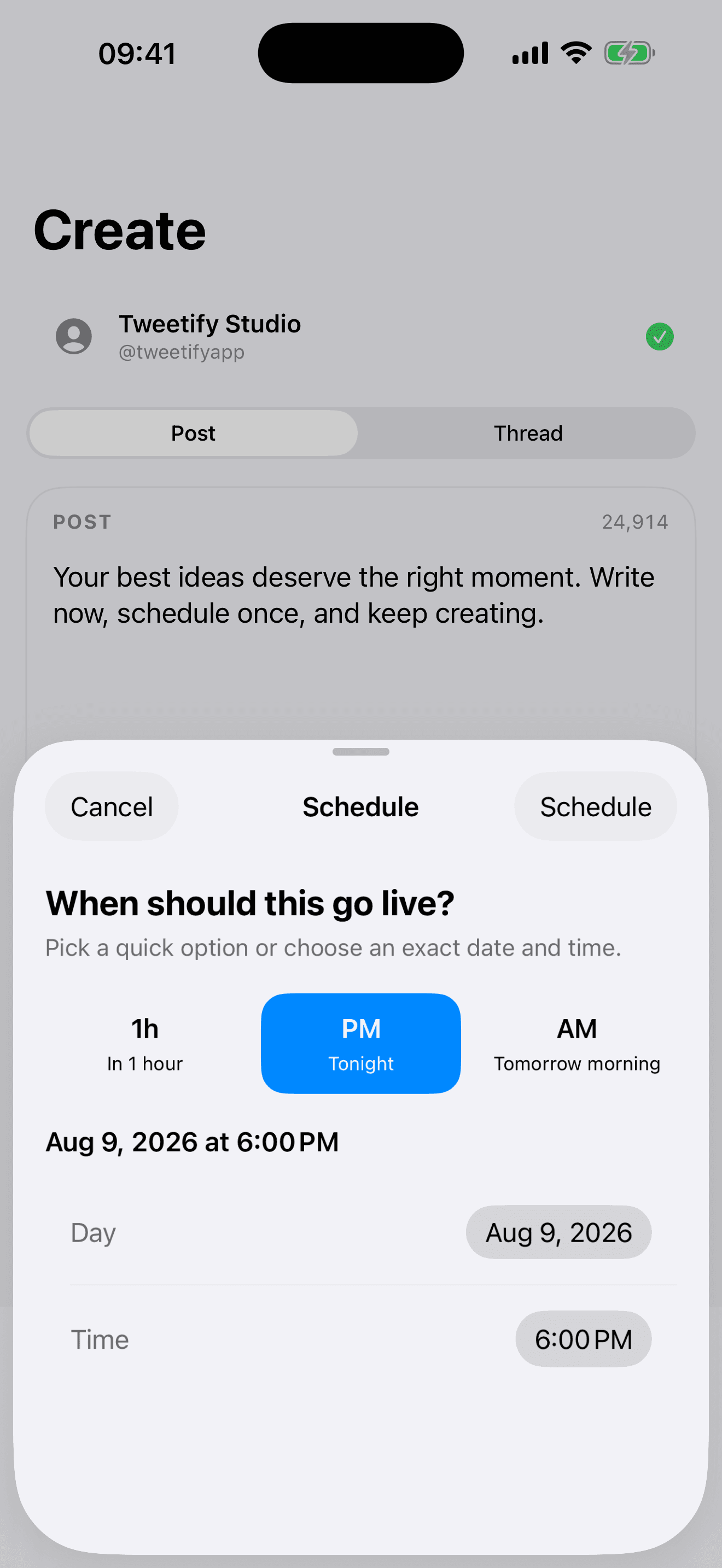
Yes. Open the queued item, choose a new date or time, save, and verify the updated schedule.
Can I edit a post after Tweetify publishes it?
Not through the scheduled queue. X limits editing of posts sent by third-party services, so you may need to delete the live post and publish a corrected version.
What if the post is about to publish?
Cancel it as early as possible and confirm its queue status. A change made at the exact publish time may arrive too late.
Will canceling a scheduled post delete my idea?
Canceling stops the queued publication. If you may reuse the idea, copy the text to a draft before removing the scheduled item.
04 / Sources
Sources
Tweetify for iPhone
Keep the queue as deliberate as the writing.
Review, reschedule or remove posts before they go live.
 App Store
Scan to download Tweetify
Tweetify for iPhone