
Tweetify / Thread scheduling
How to schedule a complete X thread on iPhone
A thread should read as one idea, not as several posts assembled under pressure. The easiest workflow is to write the complete sequence first, review it as a whole, and schedule it once.
The short answer
X can create connected posts, but scheduling options vary between its app and web surfaces. A dedicated thread scheduler removes the uncertainty. In Tweetify, every segment stays in order and the complete thread receives one publish time. At that moment, the opening post is published first and the remaining segments follow as connected replies.
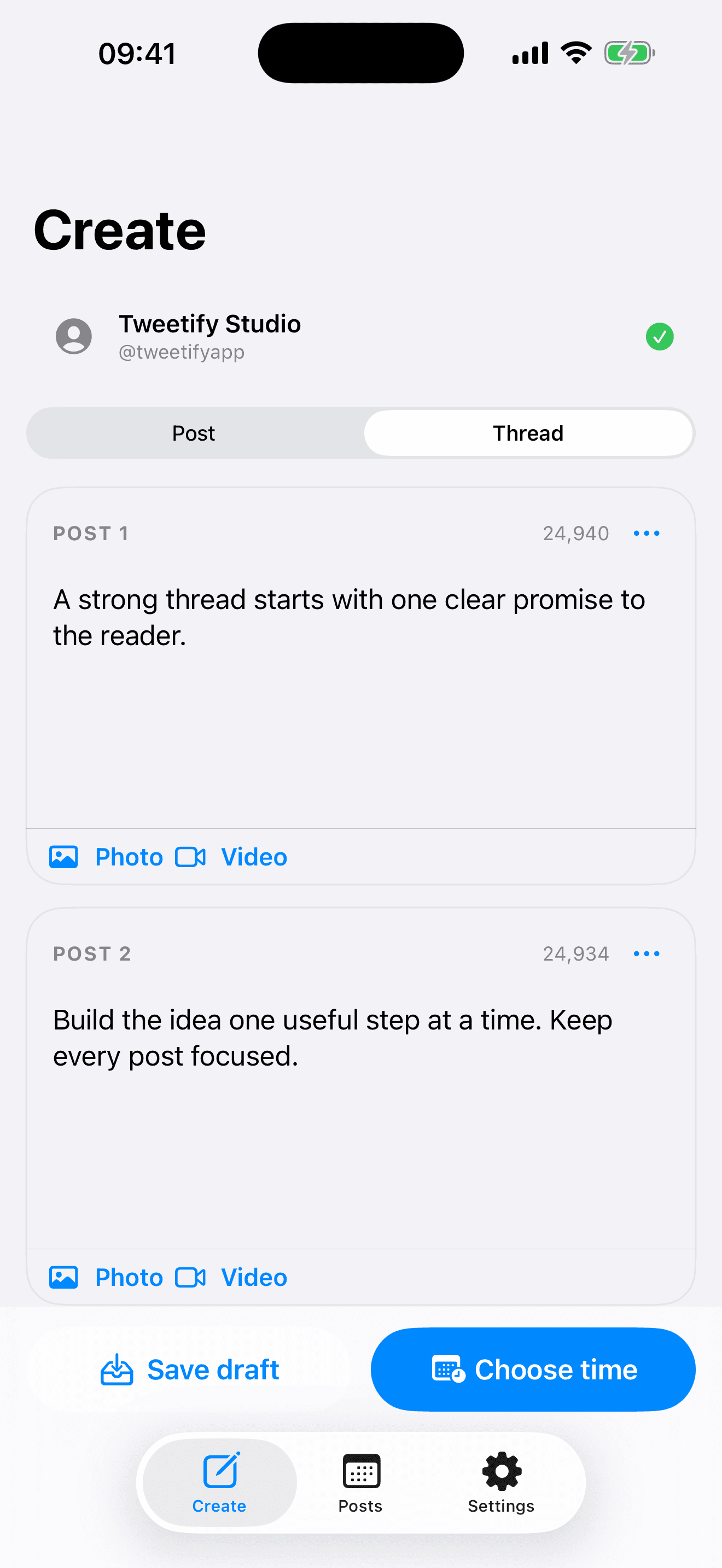
01 / Build and schedule the thread
Build and schedule the thread
- 01
Start with the promise
Write the first post so it explains what the reader will gain. It should work on its own and create a reason to continue. Avoid spending the opening on background that belongs later.
- 02
Add one idea per segment
In Tweetify, switch to Thread and add each part in order. Keep one main point in each segment, use short paragraphs, and check the character count while writing. The sequence is easier to review when every section has a clear job.
- 03
Review the chain, not only each post
Read the thread from top to bottom. Remove repeated introductions, check that references such as “this” or “next” still make sense, and make the final post feel like a conclusion rather than an abrupt stop.
- 04
Choose one time and schedule
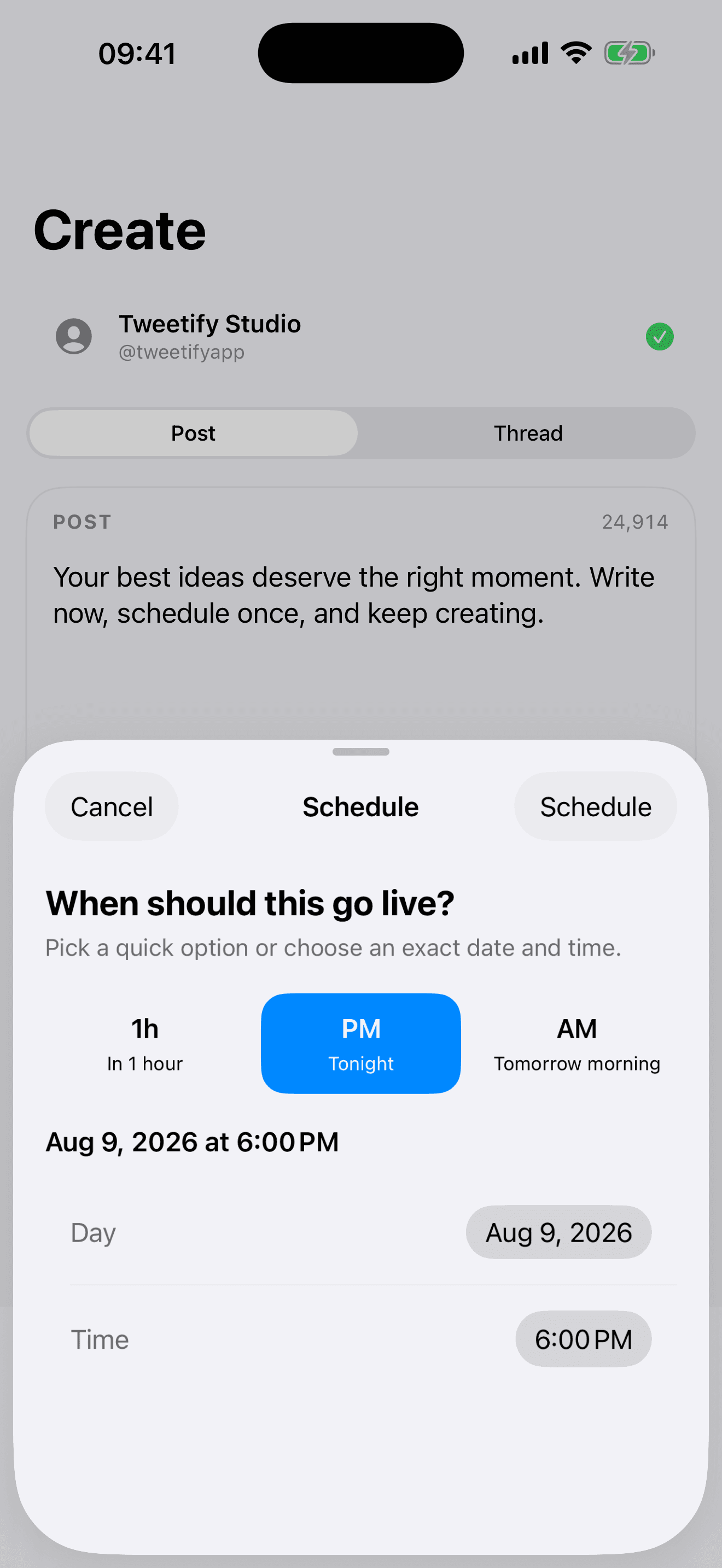
Connect the correct X account, choose a quick option or exact date and time, and confirm. Tweetify places the complete thread in Scheduled. You can reopen it to change copy or timing before publication.
02 / What makes a scheduled thread reliable
What makes a scheduled thread reliable
Order matters
A thread is a chain of replies. If the first post cannot be published, the remaining posts have nowhere to attach. A useful queue shows the whole item and reports a failure instead of silently losing later segments.
Keep a little room
Do not force every segment to the final character. Space helps when you spot a typo, add context or change a link shortly before publishing.
Be available after publication
Scheduling removes the need to press Post at the exact second. It does not replace conversation. When possible, check replies after the thread goes live and respond while the topic is fresh.
03 / Thread scheduling questions
Thread scheduling questions
Does Tweetify publish the thread in order?
Yes. It publishes the opening post first, then sends every following segment as a reply to the previous one.
Can I edit the thread before it publishes?
Yes. Open it from Scheduled, make the changes, and save again before the selected time.
Can a thread contain photos or video?
Tweetify Pro supports scheduled media. Check every attachment and its position in the thread before confirming.
Do I need X Premium?
Tweetify schedules standard posts through your authorized X account. Your content must still respect the capabilities and limits of that X account.
04 / Sources
Sources
Tweetify for iPhone
Give the whole idea one clear place.
Write, review and schedule complete X threads from your iPhone.
 App Store
Scan to download Tweetify
Tweetify for iPhone