
Tweetify / iPhone scheduling
Why can’t I schedule posts on X on my iPhone?
You have finished the post, picked the right moment—and the calendar button is nowhere to be found. It is a common mobile problem, not something wrong with your account.
The short answer
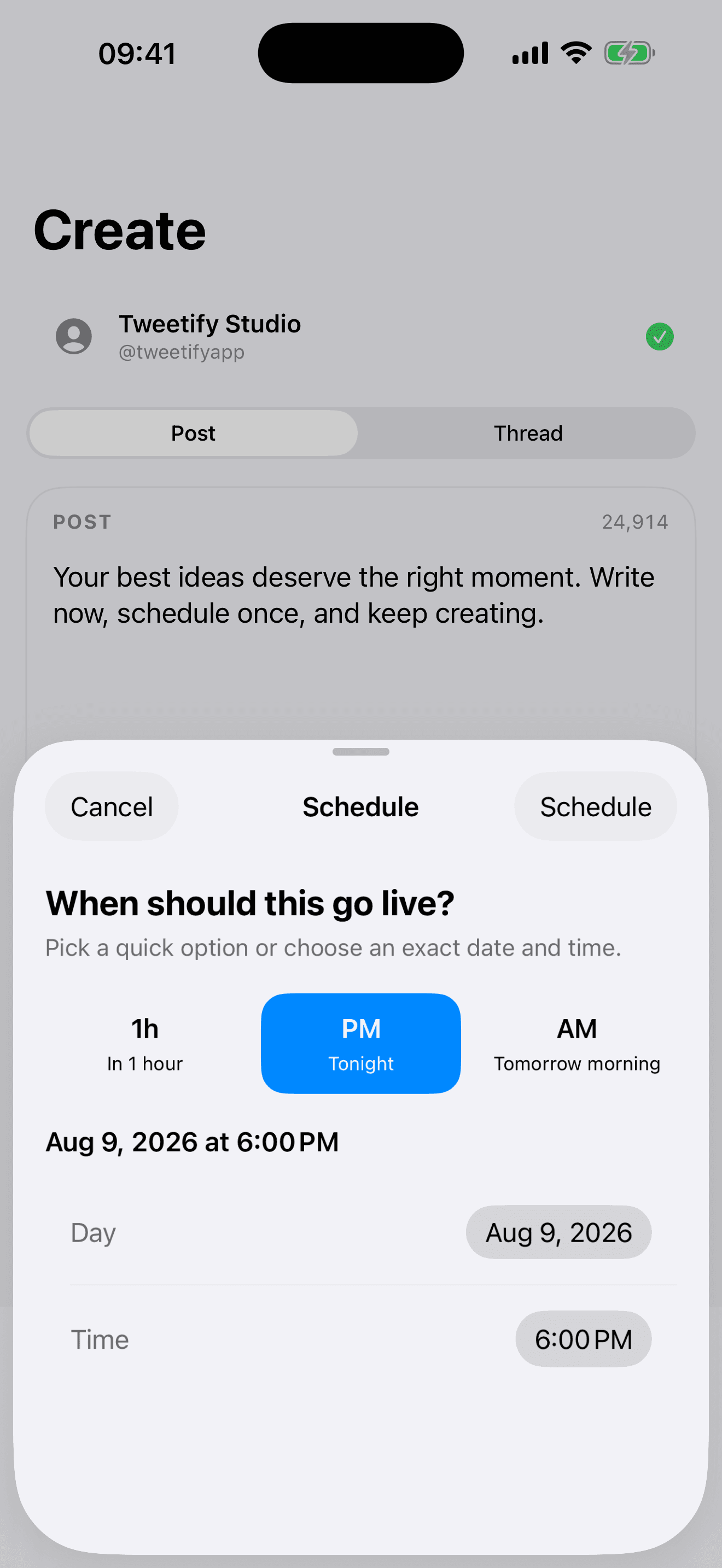
Scheduling is not presented consistently across every X mobile surface. If the calendar control is missing in the iPhone app, you can try the X web composer in Safari or use an iPhone scheduler such as Tweetify. Tweetify lets you write, choose an exact date and time, and leave the post in a visible queue until it publishes automatically.
01 / Three ways to publish later from iPhone
Three ways to publish later from iPhone
- 01
Try X in Safari
Open x.com in Safari, sign in, and open the composer. If a calendar icon appears, choose the date and time, confirm, and check the scheduled or unsent-posts area before closing the browser. This is useful for an occasional single post, although the desktop-style interface can feel cramped on a phone.
- 02
Save a draft and return manually
If timing is flexible, save the post as a draft and set a reminder. This costs nothing, but your phone will not publish for you. Return to the same account and device, check the text and media again, and press Post yourself.
- 03
Schedule it in Tweetify
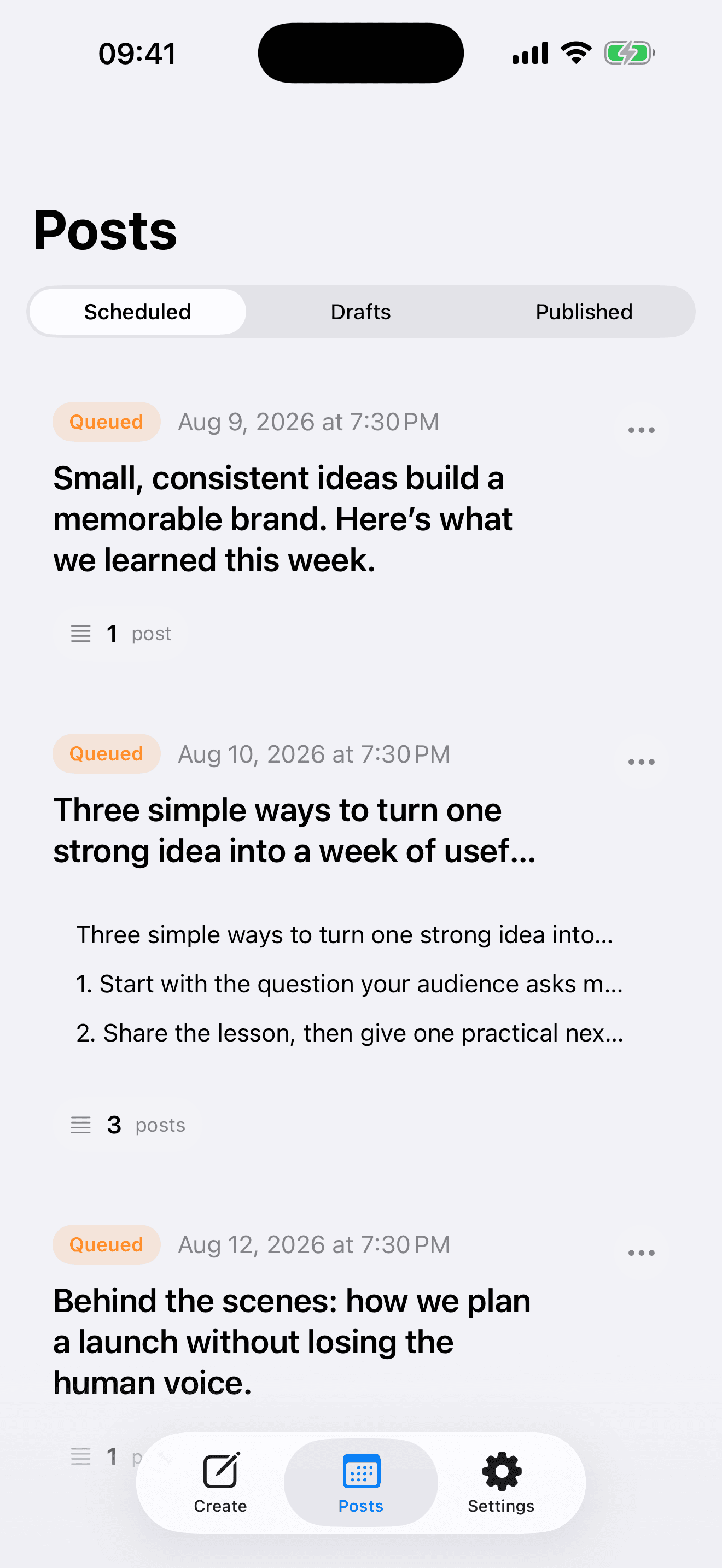
Open Tweetify, write a post, and connect your X account when you are ready to schedule. Choose a quick time such as tonight or tomorrow morning, or select an exact date and time. The post moves into Scheduled, where you can review or change it before publication.
02 / Before you close the app
Before you close the app
Check the account and time
Confirm the connected X profile, date, local time and AM/PM value. A correct post at the wrong hour is still a missed moment.
Know what happens next
A real scheduler should auto-publish without requiring the iPhone to remain open. A reminder tool only tells you to return and post manually. Tweetify uses an authorized X connection to publish queued content at the selected time.
Start with text, add media when needed
Eligible new Tweetify users can try text posts and complete threads for seven days without starting an App Store subscription. Scheduled photo and video posts are part of Tweetify Pro.
03 / Questions people ask on iPhone
Questions people ask on iPhone
Why is the X schedule button missing?
The scheduling control can vary by app version, account and surface. Try x.com in Safari. If it still is not practical, use a scheduler designed for iPhone.
Does my iPhone need to stay on?
Not when Tweetify has successfully queued the post. Tweetify publishes through its service at the scheduled time.
Can I edit a scheduled post?
Yes. Open the Scheduled list in Tweetify before publication, then change the content or time.
Do I have to connect X before writing?
No. You can explore Tweetify and save drafts first. An X connection is required only when you schedule or publish.
04 / Sources
Sources
Tweetify for iPhone
Write now. Let the right time come later.
Draft and schedule X posts from a clear iPhone workflow.
 App Store
Scan to download Tweetify
Tweetify for iPhone